Available from tomorrow
Fukuoka Airport - Hakata Station Nishitetsu Airport Bus Ticket
3.0
4 reviews
US$ 1.21


 Point Guide
 AI Picks

All purchasers will receive a 7% discount coupon for Bic Camera Japan! The coupon can be downloaded from the purchase history page.

All purchasers will receive a discount coupon for Don Quijote! The coupon can be downloaded from the purchase history page.
The fastest and most comfortable way to connect Fukuoka Airport International Terminal and Tenjin Highway Bus Terminal. Access the city center at a reasonable price without complicated transfers, and reduce waiting time with a digital-only ticket for enhanced travel convenience.
Book now at WAUG for a great deal!

The fastest and most comfortable way to connect Fukuoka Airport International Terminal and Tenjin Highway Bus Terminal
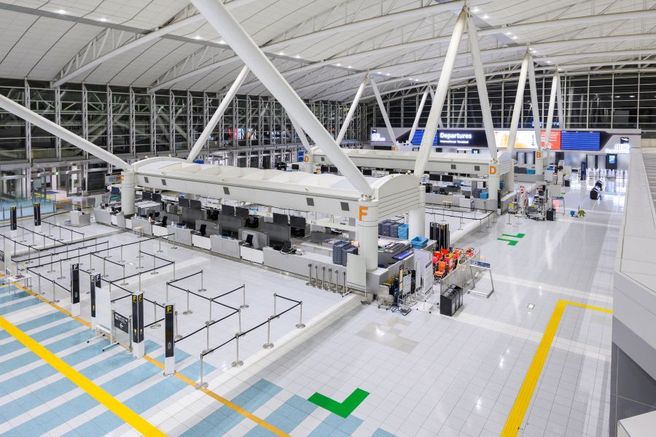
Start your Fukuoka journey with ease and excitement. Instead of dragging heavy luggage and worrying about complex routes after arriving at the airport, a direct express bus awaits to take you from the International Terminal to the heart of Tenjin.
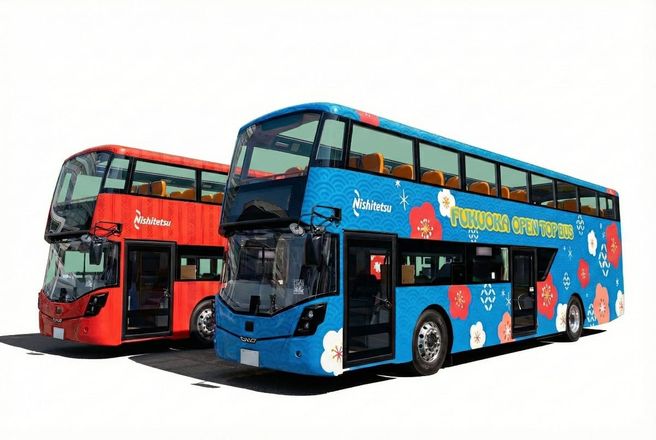
Enjoy added convenience with a digital ticket that you can easily use with just your smartphone, eliminating the need for cash payments or paper tickets. As you admire the city views of Fukuoka from the window, you'll soon arrive in Tenjin, the center of shopping and gourmet experiences. Make your first step into your exciting Kyushu trip perfect with efficient and comfortable travel.
Access the city center at a reasonable price without complicated transfers

Direct access to Fukuoka city center without transfers
Board directly from Bus Stop #8 at the International Terminal, no need to walk to the subway station. It connects directly to Tenjin, making it the optimal choice for travelers with children or heavy luggage.

Easy boarding with just your smartphone
No need to queue at the ticket counter. Simply open the digital ticket from the voucher link sent after purchase and show it to the driver upon alighting! It's incredibly convenient as you can use it anytime, anywhere with a stable internet connection.
"Start your journey with excitement right after leaving the airport arrival hall. Choose the smartest shortcut to Tenjin with our express bus."
Personal expenses
Traveler's insurance Sign Up
How To UseWhen your booking is confirmed, an email with a voucher containing a link to your digital ticket will be sent.
On the day of use, open the voucher attached to the email on your smartphone.
Tap the digital ticket link in the voucher.
Tap "Use" right before boarding to start using your ticket. (Valid for 1 hour from the start of use)
When boarding the bus, please present the active ticket screen showing the valid period to the crew.
Please note that you cannot board the bus with only the voucher screen attached to the email.
Boarding Location:
[When boarding from Tenjin Expressway Bus Terminal]
Tenjin Expressway Bus Terminal, Bus Stop No. 6 (Solaria Stage 3F)
2 Chome-11-3 Tenjin, Chuo Ward, Fukuoka, 810-0001 Japan
Open on Google Maps
[When boarding from Fukuoka Airport International Terminal]
Fukuoka Airport International Terminal, Bus Stop No. 8
Aoki, Hakata Ward, Fukuoka City, Fukuoka Prefecture, Japan 812-0851
Open on Google Maps
How to Use Ticket:
1) Click the voucher link sent to you at the time of purchase to open your digital ticket.
2) On the day of use, please click the "Use" button on the digital ticket.
* If you click the "Use" button (activation button) before your scheduled date of use, it cannot be restored for any reason. Please note that even if you click the button by mistake before the date of use, restoration is not possible. Be sure to click it only on the actual day of use.
3) Please show the digital ticket to the bus crew (driver) when boarding.
* You must present the digital ticket using a smartphone or electronic device, so please check your network connection beforehand.
* Screenshots or printed vouchers cannot be used.
* If you purchase multiple tickets at once, they cannot be used individually and will all be activated at the same time. If you wish to use them individually on different occasions, please make separate purchases.
* For security purposes, one-time password (OTP) authentication may be required. In that case, please proceed with the following steps:
1. Enter your email address to receive the OTP, then tap the send button.
2. Check if the OTP has arrived at the email address you entered. (Please check your spam folder as well. If it's not in your spam folder, the email address may be incorrect. Please reopen the URL of the usage screen and try again starting from entering your email address.)
3. Enter the OTP received in the email on the ticket screen, then tap the confirm button. Once entered correctly, the ticket screen will be displayed. (After OTP authentication, the OTP will be sent to the email address you set. This email address cannot be changed, so please use an email address that you can access on-site on the day of use.)
※ All usage conditions are subject to the information stated on the voucher. Refunds or compensation will not be provided if you are unable to use the service due to failure to check the information.※ All usage conditions are subject to the information stated on the voucher. Refunds or compensation will not be provided if you are unable to use the service due to failure to check the information.

Aoki, Hakata Ward, Fukuoka City, Fukuoka Prefecture, Japan 812-0851
What to Remember AI PicksPoint Guide